THE PROCESS
What is UV printing on glass?
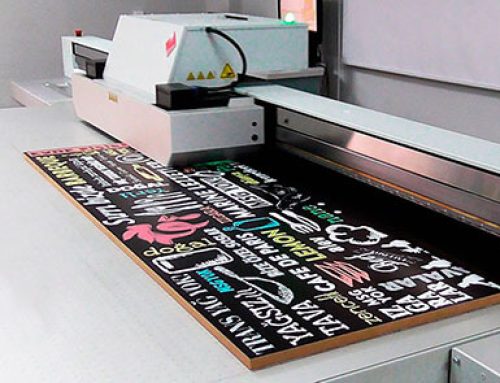
UV printing deposits an image directly onto a prepared surface. Ultraviolet light cures the ink during the printing process, allowing fine detail, rich colour and controlled white layers on transparent glass.
For glass, the ink system, surface treatment and application matter as much as the printer. A production test helps confirm adhesion, colour and the desired level of transparency before a full run.
WHY CHOOSE UV GLASS PRINTING
Detail, flexibility and a shorter production cycle.
A digital workflow can bring branded and decorative graphics to glass without the fixed artwork setup associated with some conventional methods.
Crisp visual detail
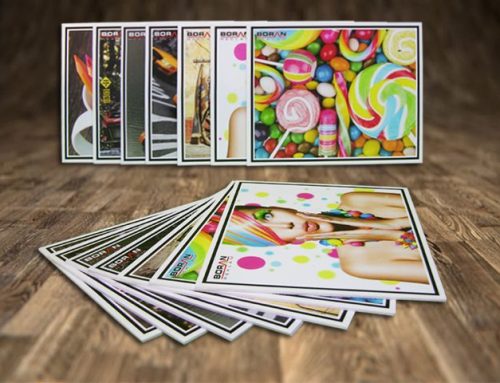
Reproduce logos, patterns, photographs and fine lettering. White ink can help control opacity and improve colour visibility on clear glass.
Efficient workflow
The ink cures as it is printed. Digital files support prototypes, short runs and project variations, while overall lead time still depends on finishing and approvals.
Tailored appearance
Choose full colour, selective white, clear areas and layered effects to suit the panel, viewing direction and lighting conditions.
FIVE PRODUCTION STEPS
How a glass print comes together.
Each project starts with the use of the panel and ends with an inspection against the approved sample.
01 / ARTWORK
Choose and prepare the design.
Create artwork at the final panel dimensions with suitable image resolution. Decide whether the graphic will be viewed from the printed side or through the glass. Confirm mirrored artwork, white ink, clear areas and colour expectations in a proof.
02 / SURFACE
Prepare the glass.
Check that the panel is suitable for the intended location and printing process. Remove dust, oils and fingerprints using a cleaner approved for the glass and ink system. Some systems call for a glass primer; others use a dedicated ink without one.
03 / SETUP
Set up the printer.
Select a compatible glass ink system, secure the flat panel on the print bed and set the print profile. Check panel thickness, head clearance, resolution, colour mode and white ink layers before the production pass.
04 / PRINT & CURE
Test, print and cure.
Run a test print to check registration, coverage, colour and transparency. Adjust the file or settings where needed. During production, the printer’s UV lamps cure the ink in accordance with the selected ink and machine settings.
05 / FINAL CHECK
Inspect and finish the panel.
Compare the finished print with the approved proof for detail, uniform coverage, opacity and adhesion. Where the application calls for it, consider a compatible protective finish or layered texture. Confirm handling, installation and cleaning instructions before the panel is delivered. Names, location details and other personalised elements can be incorporated in the final artwork.
PUT THE DESIGN TO WORK
Where printed glass makes an impact.
Office interiors
Graphics for partitions, reception areas and feature panels can integrate a brand with the architecture.
Retail environments
Window and display glass can carry product stories, patterns and campaign graphics.
Decorative panels
Photographic imagery and custom illustrations give glass a distinctive surface treatment.
COMMON QUESTIONS
UV printing on glass: FAQs.
Is UV printing suitable for a glass panel?
It can be, provided the glass, ink, preparation and installation conditions are compatible. A sample and adhesion check are useful for projects with demanding handling or cleaning requirements.
Can different types of glass be printed?
Annealed, toughened and laminated constructions may be considered. The printable surface, panel size, coating, processing order and safety requirements should be checked for the specific project.
How long does production take?
Print time depends on dimensions, image coverage, ink layers and quantity. Sampling, approvals, glass processing and installation can add to the overall project schedule.
What about printed drinking glasses?
Cylindrical drinkware uses a different printing setup. Food contact, washing resistance and ink suitability need separate assessment. The steps on this page cover flat architectural and decorative glass panels.